
Accounting Periods
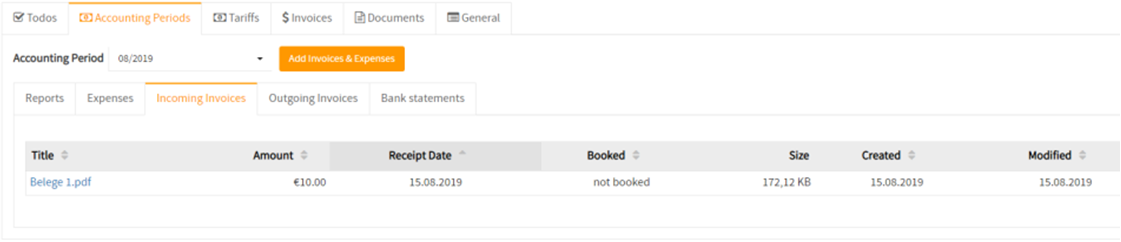
On ‘Accounting Periods’ you can see Reports, Expenses, Incoming Invoices, Outgoing Invoices, and Bank statements. To check a certain month, select the period you want to see.


Add Invoices & Expenses
You are also able to add your Invoices and Expenses with the ‘Add Invoices & Expenses’ button.

Incoming Invoices
To see your Incoming Invoices and Outgoing Invoices and Bank statements, you can navigate on this menu bar.
Tariffs
On Tariffs you are able to have a look at your service tariffs.

General
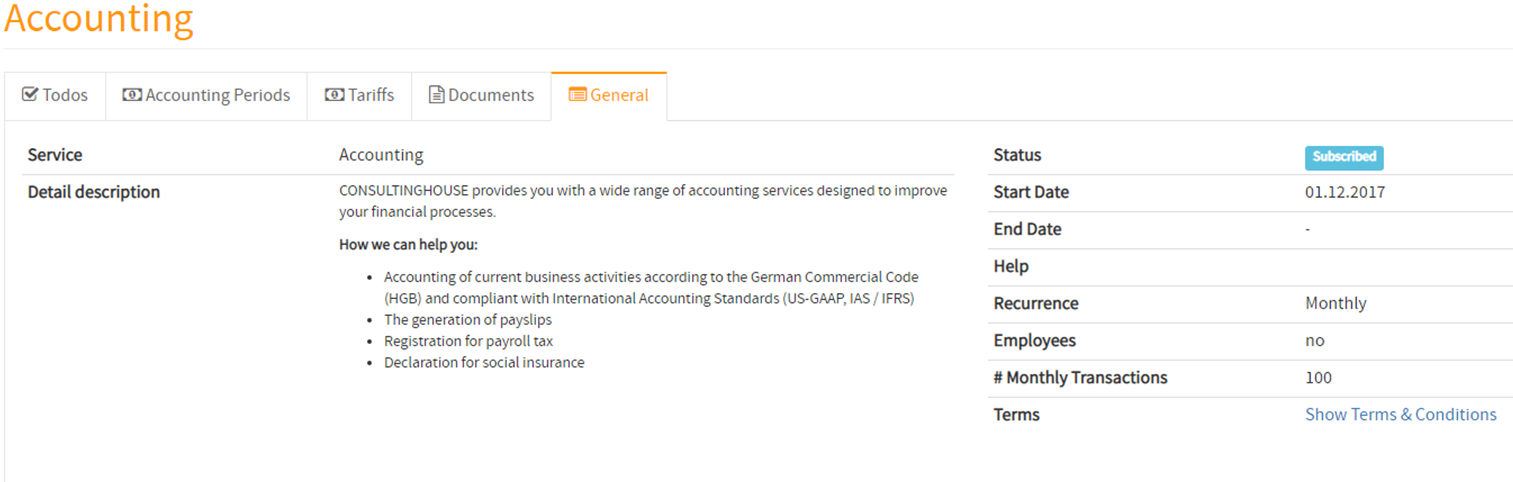
In General, you can read the detailed description of the Accounting Service that we are able to provide you and have a look at a small overview of your status.
Contacting us
In case you have any doubts feel free to contact us at any time.
For problems or questions related to invoices, please contact billing@mydashboard.eu
For general questions to MyDashboard, please contact mydashboard@consultinghouse.eu
For other information, check our help center: https://www.consultinghouse.eu/faq/